Homesnap – Real Estate Photography Made Simple

Company

Homesnap

Category

Real Estate Photography

Timelines

3 MONTHS

Service we provided

Mobile App
UI/UX Design
User Flow

Project Overview

Selling a house? The photos matter more than anything. Homesnap gets you professional property photos without calling three different photographers. You open the app, tell them which house, and a photographer shows up. Or you upload your own photos and they enhance them. Virtual staging adds furniture to empty rooms for four dollars.

The Challenge

Our Solution

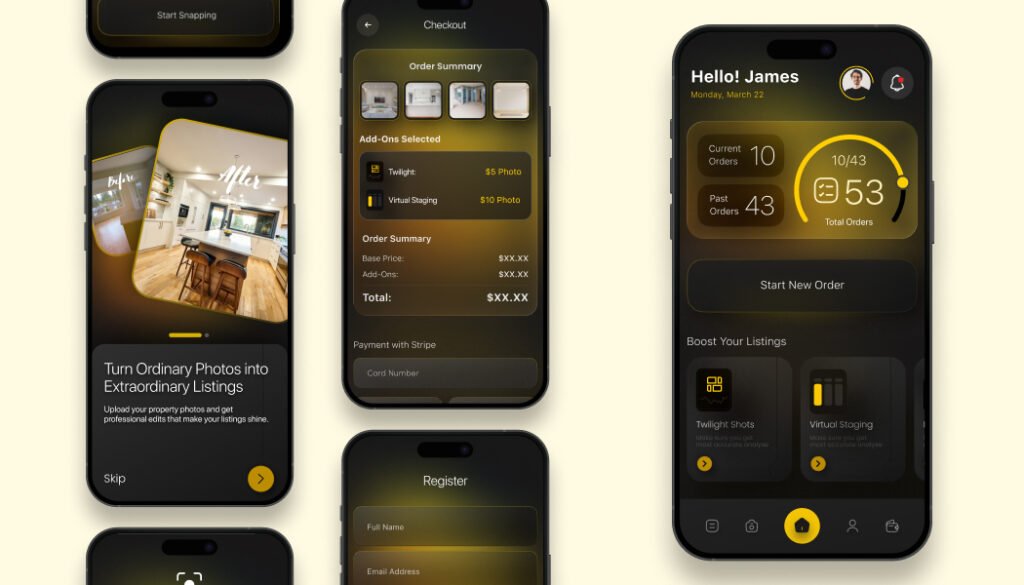
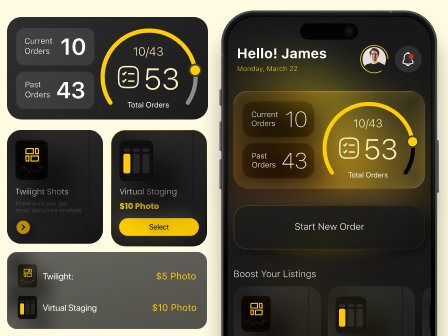
You open Homesnap and it greets you by name. Hello James. Your total amount sits near the top. Three buttons take up most of the screen. Start. Your Listings. Upload Your Photos. Tap Start and you go to order summary. That screen shows order ID HS12345 and status delivered. Below that a button says enhance your order with virtual staging for four dollars.
Order IDs are simple. HS plus five numbers. You tell that number to support and they know exactly which order you mean. Virtual staging takes an empty room photo and adds a couch, a table, some plants, and a rug. It looks real enough for a listing. Costs four dollars per photo.
Your listings saves every property you have ever ordered photos for. Next time you need photos for 123 Main Street you just tap it. Upload your photos is for agents who take their own pictures. You skip the photographer and just pay for editing and virtual staging.

Screens Preview

Need a similar solution?

Start with a free consultation and discover how your product can be perfect.

Homesnap – Real Estate Photography Made Simple

Homesnap
UI/UX Design
User Flow

Project Overview

Selling a house? The photos matter more than anything. Homesnap gets you professional property photos without calling three different photographers. You open the app, tell them which house, and a photographer shows up. Or you upload your own photos and they enhance them. Virtual staging adds furniture to empty rooms for four dollars.

The Challenge

Our Solution

You open Homesnap and it greets you by name. Hello James. Your total amount sits near the top. Three buttons take up most of the screen. Start. Your Listings. Upload Your Photos. Tap Start and you go to order summary. That screen shows order ID HS12345 and status delivered. Below that a button says enhance your order with virtual staging for four dollars.
Order IDs are simple. HS plus five numbers. You tell that number to support and they know exactly which order you mean. Virtual staging takes an empty room photo and adds a couch, a table, some plants, and a rug. It looks real enough for a listing. Costs four dollars per photo.
Your listings saves every property you have ever ordered photos for. Next time you need photos for 123 Main Street you just tap it. Upload your photos is for agents who take their own pictures. You skip the photographer and just pay for editing and virtual staging.

Screens Preview

Need a similar solution?

Start with a free consultation and discover how your product can be perfect.

You might also like

Poemix – Backend & API Development

Poemix is a digital poetry platform that allows users to create, gift, and share poems. It…

Poetry App
Digital Gifts
Creative Writing

Odd News – Backend & API Development

Odd News is a digital news platform that curates and publishes unusual, viral, and thought provoking…

Viral Stories
Breaking News
Headless CMS

Yanga – Backend & API Development

Yanga is a fast food delivery platform that brings classic flavors with a modern twist straight…

Food Delivery
Smash Burgers
Real-Time Tracking

EV Pluggy – Backend & API Development

EV Pluggy is a smart EV charging station locator and booking platform that helps electric vehicle…

Location API
Search
Availability